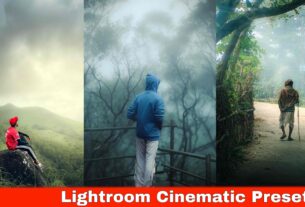
Nowadays, everyone wants high-quality photos for Instagram, Facebook, WhatsApp, and other social media platforms. Many people spend a lot of money on expensive smartphones and DSLR cameras hoping to capture perfect photos. However, even with costly devices, photos do not always look sharp, clear, or professional.
To improve photo quality, people often use AI photo enhancers and editing apps. While some tools can increase sharpness and details, they may also make faces look unnatural or completely different from the original image. This is one of the biggest reasons why many users prefer Lightroom presets instead of AI-based enhancement tools.
In this AJ Prompt article, we are sharing Lightroom 4K 8K 16K Photo Editing Presets that can help improve the overall appearance of your photos. These presets are easy to use and can add better clarity, sharpness, colors, and HDR-style effects to your images with just a few taps.
What Are Lightroom 4K 8K 16K Photo Editing Presets?
Lightroom 4K 8K 16K Photo Editing Presets are pre-made editing settings designed to enhance photos quickly. These presets adjust important editing elements such as exposure, contrast, highlights, shadows, colors, sharpness, and details.
Once applied, your photo can appear cleaner, sharper, and more vibrant without requiring advanced editing skills. The presets shared in this article are DNG presets, which can easily be imported into Adobe Lightroom Mobile or Lightroom Desktop.
Details of Lightroom 4K 8K 16K Photo Editing Presets
The presets featured in this article have been tested on different types of photos, including portraits, outdoor images, travel shots, and social media content.
After applying the preset, you may notice:
- Improved clarity and sharpness
- Better HDR-style effects
- Enhanced color balance
- Cleaner skin tones
- More detailed backgrounds
- Professional-looking contrast
- Better overall image quality
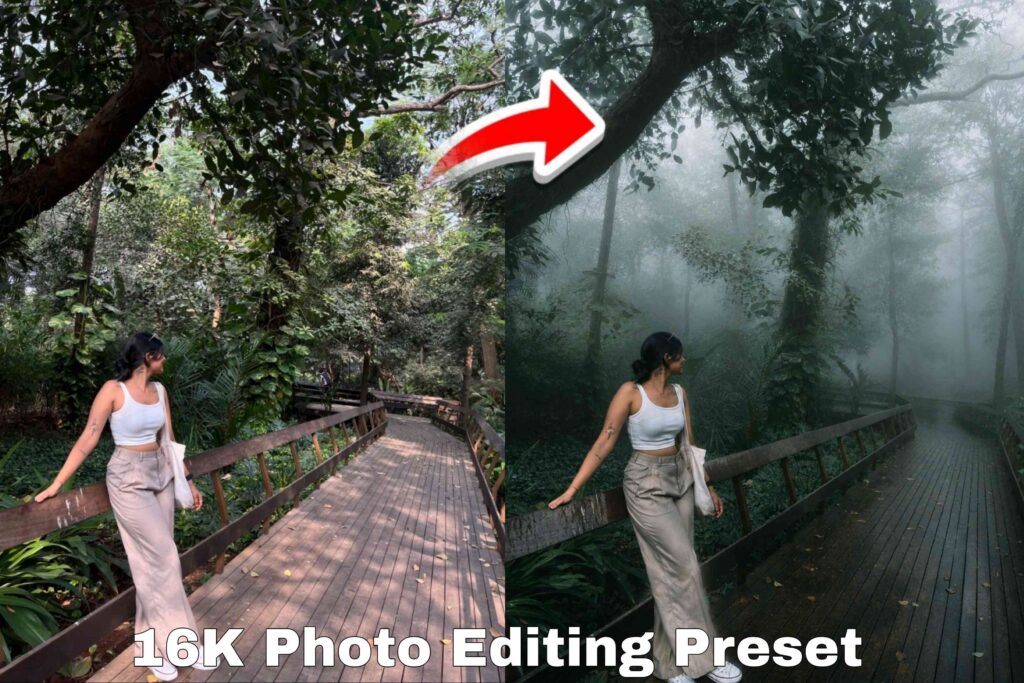
Even when zooming into the photo, details such as facial features, clothing textures, and background elements can appear more refined and visually appealing.
Since every image is captured under different lighting conditions, results may vary slightly from photo to photo. If necessary, you can make small adjustments after applying the preset to achieve the perfect look.
Benefits of Lightroom 4K 8K 16K Presets
Using Lightroom presets offers several advantages:
1. Quick Editing
You can enhance your photos within seconds without spending hours adjusting settings manually.
2. Professional Results
The presets are designed to create a professional and polished appearance suitable for social media and personal use.
3. Better Sharpness and Details
They improve image clarity and make photos look cleaner and more attractive.
4. Works on Different Photo Types
These presets can be used on portraits, outdoor photos, travel photography, selfies, and lifestyle content.
5. Easy for Beginners
Even if you have no editing experience, you can achieve impressive results using Lightroom presets.
How to Make Photos Look More Natural
Sometimes a preset may appear too strong depending on the original image. If this happens, you can easily adjust the settings.
To create a more natural-looking face:
- Open the Color section in Lightroom.
- Select the Orange color channel.
- Slightly reduce Saturation.
- Increase Luminance a little.
These small adjustments can help maintain natural skin tones while keeping the image sharp and detailed.
You can also fine-tune exposure, contrast, highlights, and shadows according to your personal preference.
What to Do If the Presets Don’t Make Your Photo HD?
We have shared multiple Lightroom presets because every photo is different. If one preset does not produce the desired result, simply try another preset from the collection.
Different presets work better on different lighting conditions and photography styles. Testing multiple presets often helps you find the perfect match for your image.
If you still want additional enhancement, you may consider using AI-based photo enhancement tools. However, keep in mind that some AI tools can occasionally change facial features while increasing sharpness and detail.
For most users, Lightroom presets provide a more natural and controlled editing experience compared to automated AI enhancements.
How to Use Lightroom 4K 8K 16K Photo Editing Presets
Applying these presets is very simple.
Step 1
Download and save the DNG presets on your device.
Step 2
Open Adobe Lightroom Mobile or Lightroom Desktop.
Step 3
Import both your photo and the preset file.
Step 4
Open the preset image.
Step 5
Tap the three-dot menu and select Copy Settings.
Step 6
Choose all available settings and copy them.
Step 7
Open your photo.
Step 8
Tap the three-dot menu again and select Paste Settings.
The preset will instantly be applied to your image.
If needed, make small adjustments using Lightroom’s editing tools to match your preferred style.
Download Lightroom 4K 8K 16K Presets
All presets shared in this AJ Prompt article are provided for educational and creative editing purposes. Download the presets, test them on different photos, and choose the one that delivers the best result for your editing style.
Frequently Asked Questions
What are Lightroom 4K 8K 16K Photo Editing Presets?
These are pre-made Lightroom settings that improve photo quality by enhancing colors, sharpness, contrast, and details.
Do these presets work on all types of photos?
Yes, they can work on portraits, outdoor photography, travel photos, selfies, and social media content. Results may vary depending on the original image.
Can these presets really make photos look like 4K or 8K?
The presets improve clarity and visual quality significantly. However, they do not actually increase the camera’s original resolution.
Are these presets free to use?
Yes, the presets shared in this article are available for free use.
Do these presets work on Lightroom Mobile?
Yes, they are compatible with both Lightroom Mobile and Lightroom Desktop.
What should I do if the preset looks too strong?
Simply reduce saturation, adjust exposure, or fine-tune color settings according to your preference.
Conclusion
Lightroom presets are one of the easiest ways to improve photo quality without using complicated editing techniques. The Lightroom 4K 8K 16K Photo Editing Presets shared in this AJ Prompt article can help create sharper, cleaner, and more professional-looking photos within seconds.
Since every image is unique, we recommend trying multiple presets and making small adjustments where necessary. With the right preset and a few simple edits, you can significantly enhance your photos while maintaining a natural and realistic appearance.