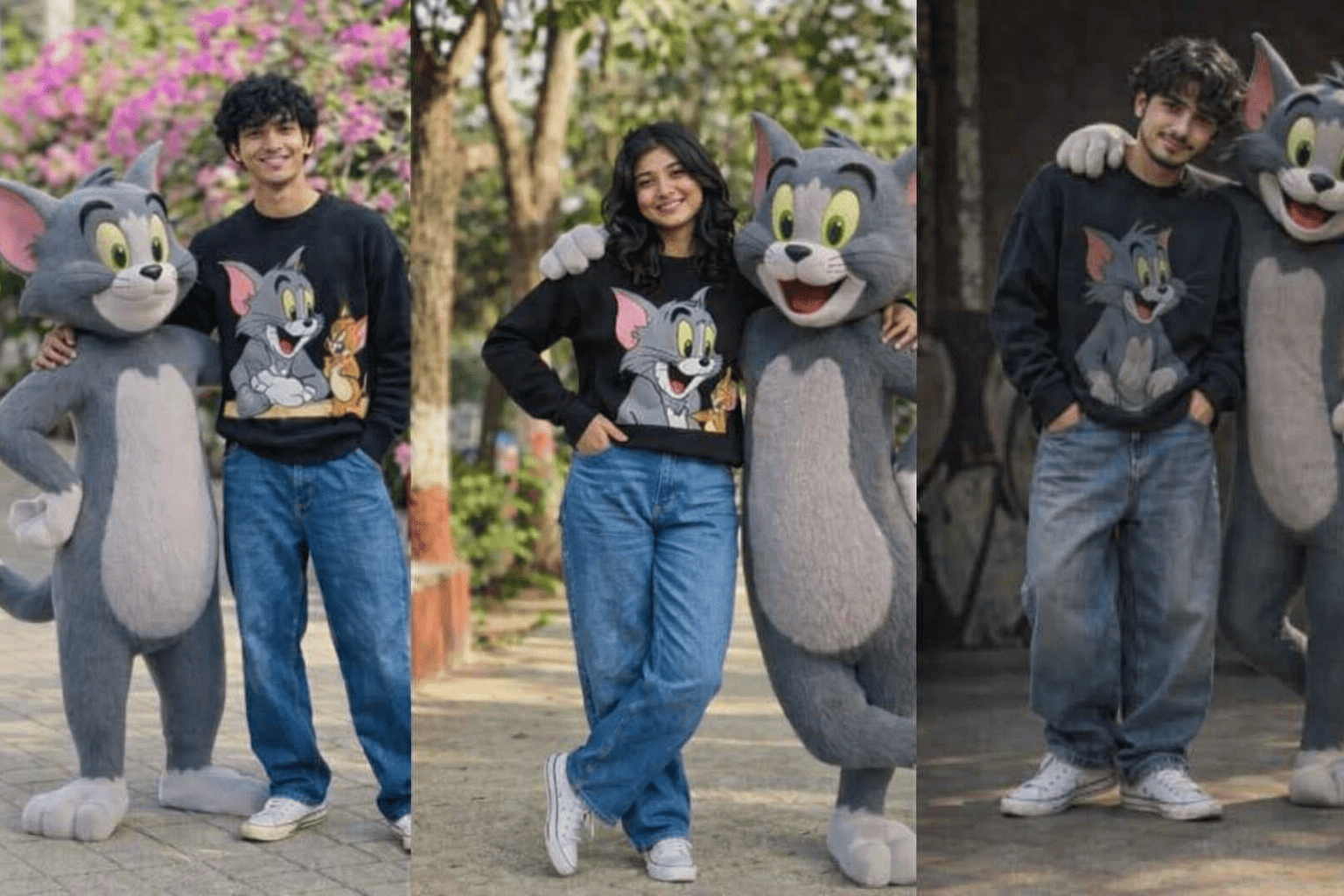
Ever tried generating a cool AI image with a human and cartoon character together, but it looks broken or fake?
Most people face the same issue.
Either the characters don’t match, or they look like they exist in different worlds.
This guide will fix that.
Here you will learn how to create two powerful AI prompts (boy + girl version) featuring a cinematic scene with Tom Cat in a realistic storytelling style.
Why These Prompts Fail for Most People
Before fixing it, understand the problem:
- AI mixes styles randomly
- Characters don’t interact properly
- Lighting is not consistent
- Cartoon + human looks separated
The real secret is structure.
If your prompt is structured well, AI performs much better.
How to Build a Perfect AI Prompt
Follow this simple system:
1. Define the main character clearly
Hair, face, expression, outfit.
2. Add interaction
Touch, hug, arm around shoulder.
3. Define cartoon character properly
Keep design consistent and detailed.
4. Add environment + lighting
Golden hour, street, cinematic blur.
Boy Version Prompt (Clean & Cinematic)
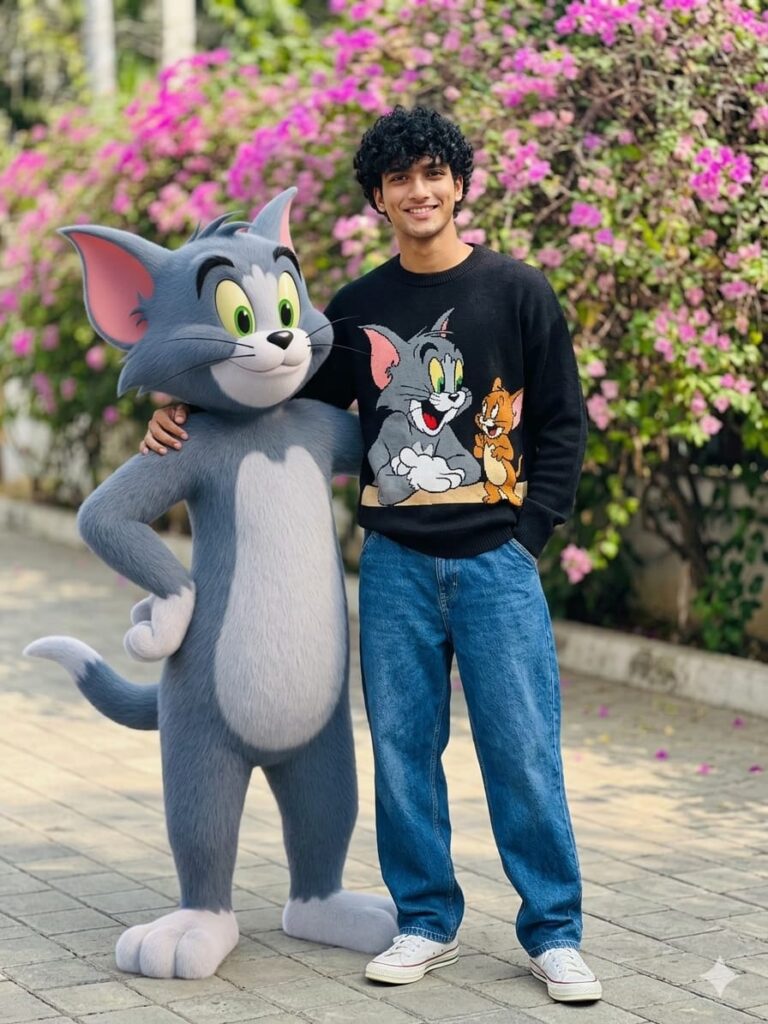
A cinematic ultra-realistic portrait of a young man with shoulder-length wavy black hair, expressive eyes, warm smile, and soft attractive face. He is wearing a cozy light black sweater with a colorful Tom Cat print, baggy blue jeans, and white Converse sneakers.
Beside him stands Tom from Tom and Jerry, a life-size anthropomorphic grey cat with soft fur, white belly, large green eyes, pink inner ears, and a playful grin.
Tom Cat has one arm around the man’s shoulder in a friendly protective pose. Both are standing confidently in a relaxed urban outdoor street during golden hour. Soft cinematic lighting, shallow depth of field, ultra-detailed, realistic fantasy blend, natural interaction, same physical space.
Girl Version Prompt (Soft & Aesthetic)
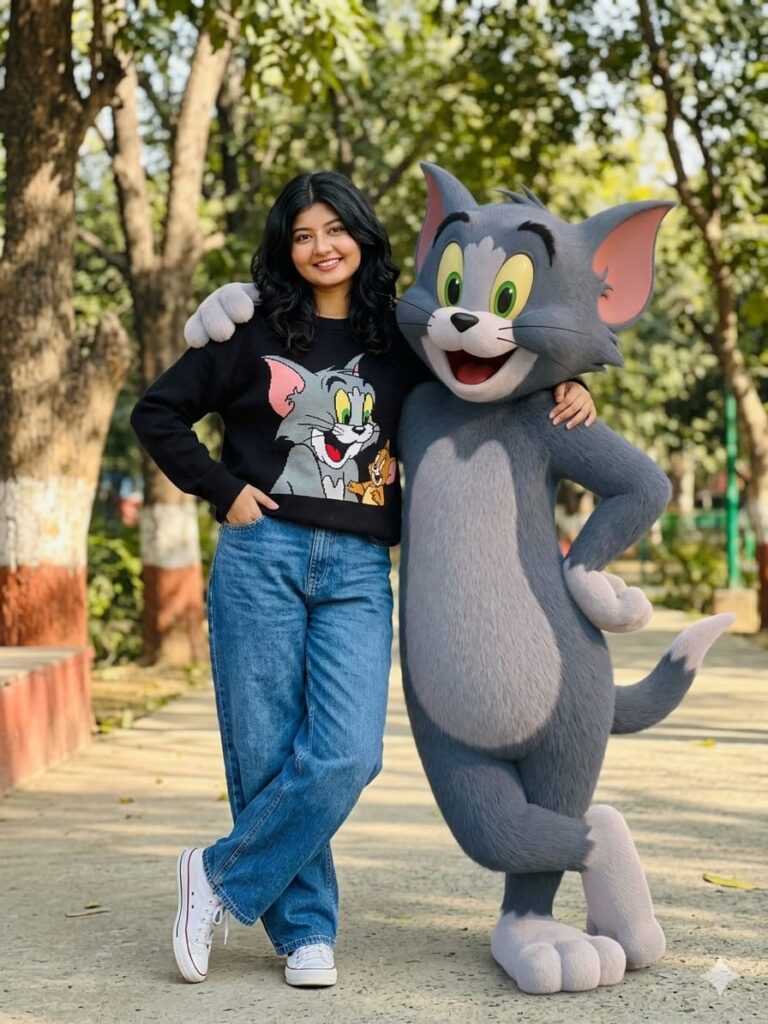
A cinematic ultra-realistic portrait of a young girl with shoulder-length wavy black hair, expressive eyes, soft cute face, and a warm gentle smile. She is wearing a cozy oversized light black sweater with a colorful Tom Cat print, stylish loose blue jeans, and white Converse sneakers.
Beside her stands Tom from Tom and Jerry, a life-size anthropomorphic grey cat with soft fur, white belly, large green eyes, pink inner ears, and a playful grin.
Tom Cat gently places one arm around the girl’s shoulder in a protective friendly pose. Both are standing in a cinematic urban street during golden hour. Soft dreamy lighting, shallow depth of field, realistic fantasy style, emotional connection, natural interaction.
Pro Tip (Real Working Hack)
Most people fail because they forget one line:
“Both characters exist in the same physical space with natural interaction.”
Add this line and your results improve instantly.
Why?
Because AI stops separating subjects.
Common Mistakes to Avoid
- Don’t write too long prompts
- Don’t mix anime + realism randomly
- Don’t forget interaction (very important)
- Don’t ignore lighting (golden hour works best)
Keep everything clean and structured.
Why This Prompt Style Works
This method works because:
- It guides AI step-by-step
- It forces character interaction
- It locks lighting consistency
- It improves emotional storytelling
That’s why results feel cinematic and realistic.
Conclusion
If you want high-quality AI images, focus on structure, not length.
The key formula is:
Character + Interaction + Environment + Lighting
Once you master this, your AI images will look professional and cinematic every time at AJ prompt.
FAQs
Q1. Can I use these prompts for Midjourney or Leonardo AI?
Yes, both prompts work on most AI image tools.
Q2. Why does Tom Cat sometimes look different in AI images?
Because AI reinterprets cartoon characters unless you clearly describe features.
Q3. How can I make images more realistic?
Use “cinematic lighting, shallow depth of field, and same physical space interaction.