A beautiful portrait is not just about a person standing in front of a camera. The right lighting, emotions, colors, and background can turn a simple photo into a powerful visual story.
One style that has become incredibly popular among AI artists, photographers, and digital creators is the cinematic portrait aesthetic. If you want an image that feels emotional, artistic, and timeless, this Krishna mural portrait concept is an excellent choice. Whether you are creating an AJ Prompt, a chatgpt prompt, a gemini prompt, or any other ai prompt, this concept delivers impressive visual results.
In this guide, I’ll break down exactly why this prompt works so well and how you can recreate or improve it for even better results.
The Portrait Concept Explained
The prompt describes:
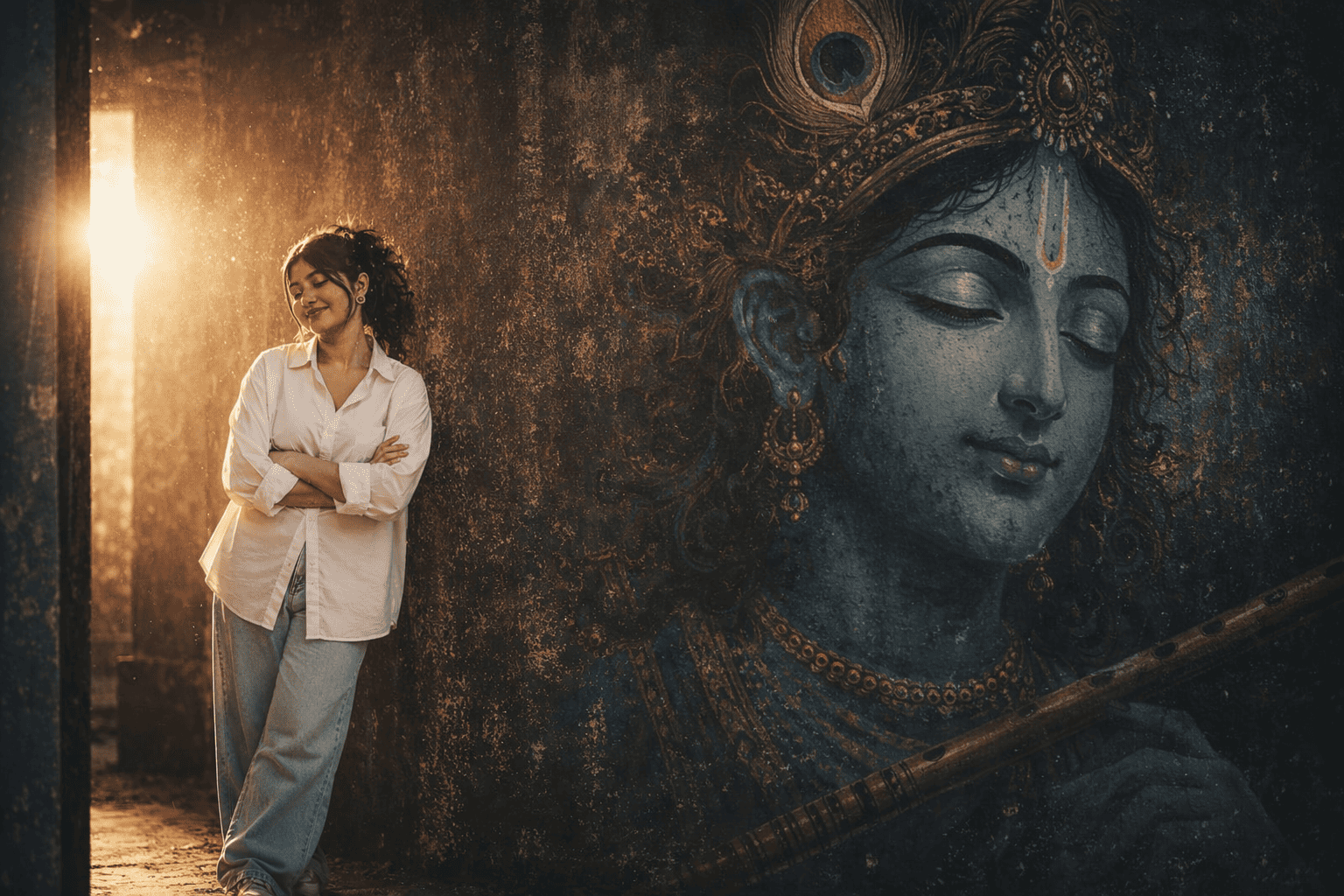
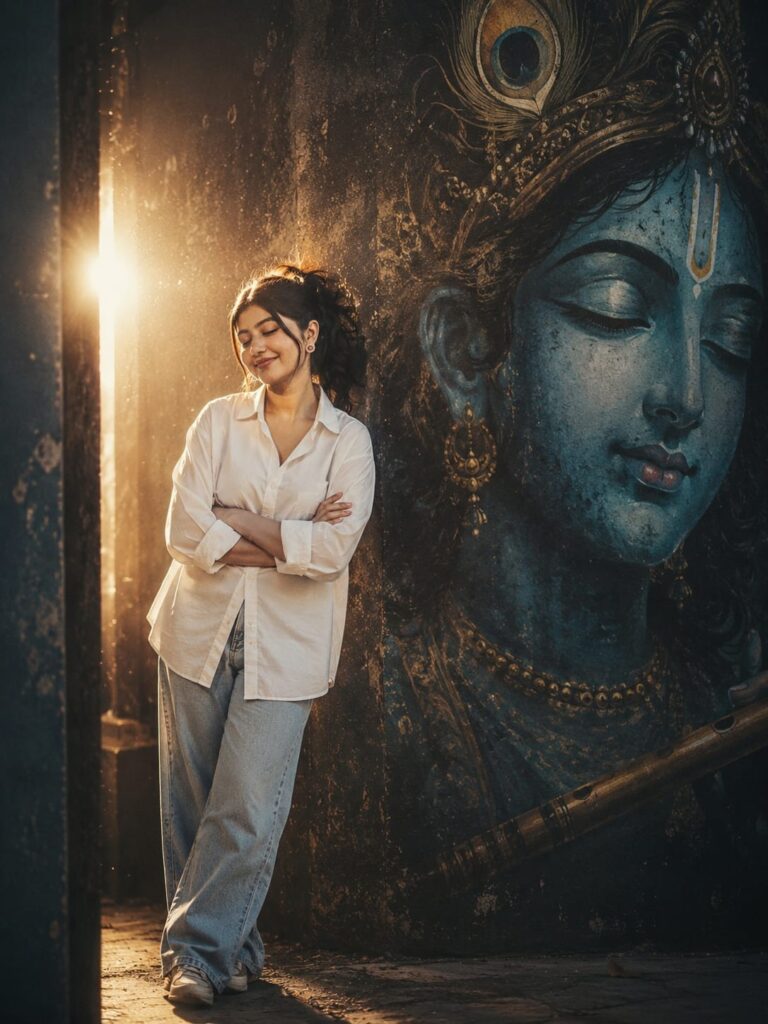
A young South Asian woman standing with closed eyes and crossed arms, wearing an oversized white shirt and light-wash wide-leg jeans. She leans against a dark textured wall beside a massive blue mural of Lord Krishna’s face. A dramatic glowing backlight creates a halo effect, while the entire scene carries a warm and grainy 90s film aesthetic.
This combination creates a balance between spirituality, fashion, and cinematic storytelling.
The image feels peaceful yet powerful.
Why This Prompt Looks So Cinematic
Many AI-generated portraits fail because they focus only on appearance.
This prompt focuses on emotion first.
Several elements work together:
Closed Eyes Create Emotion
When a subject closes their eyes, viewers naturally focus on the feeling instead of the person.
This creates:
- A peaceful mood
- A reflective atmosphere
- A deeper emotional connection
- A fine-art photography feel
The pose feels natural rather than staged.
Oversized White Shirt Adds Simplicity
The clothing choice is important.
An oversized white button-down shirt:
- Keeps attention on the subject
- Creates elegant folds and texture
- Matches cinematic fashion trends
- Works well with dramatic lighting
Simple outfits often produce stronger portraits than overly complex styling.
Lord Krishna Mural Creates a Story
The mural transforms the portrait into something meaningful.
Instead of a plain background, viewers instantly notice:
- Cultural symbolism
- Spiritual depth
- Artistic contrast
- Strong visual storytelling
The mural becomes part of the narrative rather than simple decoration.
Understanding the Lighting Setup
Lighting is the most powerful element in this portrait.
Dramatic Backlight
The glowing light behind the subject creates:
- Separation from the background
- A cinematic atmosphere
- Depth and dimension
- A dreamy appearance
Without this light, the image would feel flat.
Halo Effect
The halo effect enhances the spiritual mood.
It creates:
- Soft glow around the subject
- Visual focus
- Ethereal beauty
- Premium editorial style
This small detail dramatically improves the final result.
Why the Blue Color Palette Works
Blue is often associated with:
- Peace
- Wisdom
- Spirituality
- Calmness
Since Lord Krishna is traditionally represented with blue tones, the mural feels visually harmonious.
The blue contrasts beautifully with:
- White clothing
- Warm lighting
- Dark wall textures
This creates strong color balance.
The Magic of the 90s Film Aesthetic
Modern digital images often look too perfect.
The 90s film look introduces imperfections that feel authentic.
Key characteristics include:
Warm Highlights
Film photography naturally produces warmer light tones.
This makes portraits feel:
- Nostalgic
- Soft
- Emotional
Natural Grain
Film grain adds texture.
Instead of looking like noise, it creates character.
Slight Color Fading
Subtle fading gives images a timeless quality that many creators love.
Step-by-Step Prompt Enhancement
If you want even better results, try adding these details to your ai prompt.
Camera Settings
Include:
- 85mm portrait lens
- f/1.8 aperture
- shallow depth of field
- ultra-detailed skin texture
Lighting Modifiers
Add:
- volumetric lighting
- soft glow effects
- rim lighting
- cinematic shadows
Film Style Keywords
Add:
- Kodak Portra 400
- vintage cinema
- analog photography
- film grain texture
These additions often improve realism significantly. They work especially well in an AJ Prompt, chatgpt prompt, or gemini prompt designed for cinematic portrait generation.
Pro Tip: My Personal Testing Fix
While testing similar cinematic portrait prompts, I noticed one common issue.
AI tools often make murals look blurry or disconnected from the scene.
A simple fix is adding:
“highly detailed hand-painted mural, realistic wall texture, sharp facial details on Krishna artwork.”
This forces the AI model to treat the mural as an important subject.
The result usually looks far more professional.
Another useful trick is adding:
“soft atmospheric haze around backlight.”
This improves the halo effect dramatically.
I have personally tested this adjustment across multiple platforms, and it consistently improves image quality whether you’re using a chatgpt prompt, gemini prompt, or another advanced ai prompt.
Best Use Cases for This Prompt
This style works well for:
Social Media Content
Perfect for:
- Instagram posts
- Pinterest pins
- Art pages
- Photography showcases
AI Art Portfolios
The image demonstrates:
- Lighting skills
- Composition knowledge
- Cultural storytelling
Digital Art Projects
Useful for:
- Posters
- Book covers
- Editorial designs
- Creative campaigns
This concept also performs exceptionally well as an AJ Prompt for creators building unique AI art collections.
Common Mistakes to Avoid
Many creators make these errors:
Overexposed Backlight
Too much glow hides facial details.
Keep the balance natural.
Excessive Film Grain
Too much grain reduces quality.
Use moderate grain only.
Busy Clothing
Complex outfits distract from the mural and lighting.
Simple styling works better.
Weak Wall Texture
The dark wall should feel realistic and detailed.
Texture creates depth.
Final Thoughts
This cinematic Krishna mural portrait prompt succeeds because every element supports the same emotional story.
The peaceful expression, oversized white shirt, textured wall, glowing halo light, and blue Krishna mural work together perfectly.
The result feels artistic, spiritual, and cinematic at the same time.
If you want AI-generated portraits that stand out from ordinary images, this style is an excellent place to start. Whether you’re creating an AJ Prompt, chatgpt prompt, gemini prompt, or a custom ai prompt, these techniques can help you achieve more realistic and visually striking results.
Frequently Asked Questions
Q1. What makes a portrait look cinematic?
Cinematic portraits use dramatic lighting, emotional poses, strong color grading, depth, and storytelling elements that create a movie-like atmosphere.
Q2. Which AI image generators work best for cinematic portraits?
Popular options include ChatGPT image generation, Midjourney, Flux, Stable Diffusion, and Gemini image tools because they handle lighting and realism effectively. A well-written chatgpt prompt or gemini prompt can significantly improve the final output.
Q3. How can I make AI portraits look more realistic?
Use detailed lighting descriptions, realistic camera settings, natural poses, skin texture details, and film photography keywords to improve realism. Building a detailed ai prompt with these elements usually produces the best results.